Craftsy Unlimited FREE 7 day trial at Craftsy.com
Happy Cloud Quilt Batting by Fat Quarter Shop
Cricut is Easy as 123
Loralie Designs
Showing posts with label Campin' Critters. Show all posts

Friday, October 17, 2014

Friday October 17, 2014 with My Cricut Craft Room and Design Team- Guy theme


Friday October 17, 2014 with My Cricut Craft Room and Design Team- Guy theme


Have you ever watched the show Finding Bigfoot on Animal Planet?  Cheesy I know!  It's all in good fun, and good for a laugh don't you think? It also gave me the inspiration for my latest project theme, "Guys"!

 Here it is!  A Bigfoot birthday spinner birthday card for that special BIG guy!  On the front of the card, Bigfoot will spin his way from one hiding place to another.  He really does spin wildly! On the inside it will say, Happy Birthday. I used my Cricut Explore machine and Cricut Design Space for everything in this project.

Materials needed:
Cardstock of your choice
Cricut cutting machine
A penny
Foam Dots
Glue


I used the new print then cut feature on my Cricut Explore to cut out the big guy and the trees.
 I  started by inserting the bigfoot image from the Camping Critters cartridge, and the tree images from the Everyday Pop Up Cards, and Wildcard cartridges, into Design Space.  Using the new flatten feature, I then flattened images, enabling them to print out on my printer, and sized each piece.  I printed them out on white cardstock, and then placed the cardstock with the printed images on the cutting mat, loaded them into the Explore, where they were cut out. See below. Isn't this a new fantastic feature?  They turned out so well!


Next, I sized a greeting card image from the Just Because cartridge. But you can use any card image that you have. I used a card image that had a score line already in place. I then added 2 square images, a square for the background of the spinner face, in red, and a square for the foreground of the spinner face, which is brown.  I sized the red square a little smaller than the front of the folded greeting card, seen in green below, and the brown square a little smaller than the red square. I used the slice feature to cut a horizontal window in both squares for the spinner piece to sit in.  I then folded the large card in half(the green cardstock) and then glued each square with the window to each other. The brown square sits on top of the red. Line up the little windows exactly so the spinner will spin freely. I then folded the green cardstock in half, on the scored line.

To create the slider, I used a penny, and placed the foam dot on one side of the penny.  I then placed my Bigfoot on top of the foam dot.  The foam dots are sticky on both sides. 

I also placed foam dots on the back of the square cardstock with the slider window (the brown and the red squares have been glued to each other, you can't see the brown square) so that the slider can move freely form one end to the other.  You can see in this picture that the slider is already in the  slider window.   

Next, I turned the square cardstock with the slider over, and placed it on the front of the greeting card.  Press gently so that the foam dots adhere to the front of the greeting card.  Place foam dots on the trees, making sure that the slider figure can slide easily past the foam dots, and not get caught up on them. 

Add a sentiment to the front of the card.  I used the write feature on the Explore to do this. The font I used was Simple Celerations.  I used a black pen. The front the card is now finished and your little image should be able to slide and spin from side to side.

Open the card so you can see the inside. The inside of the card says "Happy Birthday" but you can use any type of sentiment that you want.  I used the print then cut feature to cut out another Bigfoot, and used the grass image from the Wildcard cartride to make it look like Bigfoot was running though the swamp.


That's it.  You have a nifty spinner card.  Click on the link below to see it in action.

https://www.facebook.com/video.php?v=10204130071364930&l=7208674726061607904


If you are having difficulties making a spinner card, there are many tutorials on youtube that are very helpful.  Just search "spinner card."

And as always, head on over to my Facebook page and become a fan.  I am always doing something fun there!  Go On!  Craft On!


Wednesday, June 19, 2013

Card Creating Tuesday June 18, 2013 Fishing Cards


Today the design team was challenged to make some creative fishing cards.

Marilyn used the Campin' Critters cartridge to make this fishing scene on her card.  To view more images and see how she created her card, visit her at Marilyn's Cricut Cards.


580538_Holiday Banner 468 x 60


Wednesday, October 10, 2012

Would You Ever Guess Wednesday October 10, 2012 Cut a a shadow feature reversed


So the challenge that was posed to the design team today was to cut out a shape and NOT use that, but use the paper that was around it.... They did such a great job!!! 


Sarah used Mini Monsters Cricut cartridge to create her spooky Halloween card. 
To see how she did it please visit her blog @ www.craftingwithsarah.blogspot.com


Nadja used Camp Out and Campin' Critters for this project. 
For more details on this card and the how to's, visit her blog at http://nadjarobbins.blogspot.com/2012/10/would-you-ever-guess-wednesday-october.html


Susie used the Happy Hauntings cartridge for her layout.  To see it up close and personal check out her blog at http://scrappyrandomness.blogspot.com/2012/10/would-you-ever-guess-wednesday.html


Jamie used Car Decals for the ribbon on this Breast Cancer Awareness. 
Check out the details on her blog http://craftygirl21.blogspot.com/


Jodie used Fabulous Finds and Sophie for her project.  
For details go to her blog at:  www.jodiesscraplab.blogspot.com


Amy used the Celebrations cartridge for her project today. 
Be sure to stop by and check it out at http://clayfulimagination.blogspot.com


Lisa used New Testament Cartridge for today's project. 
You can see details on her blog at http://ourcraftingcorner.blogspot.com/


Friday, August 10, 2012

Scrapbook Friday August 10, 2012 Dance or Outdoors


Today the two scrapbook themes are Dance or Outdoors.....


DANCE

Miranda used Shall We Dance Cricut Cartridge to create her layout.
To see how she made it go to
 http://www.nanasscrapspot.com/2012/08/mccr-dance-layout.html


Christina used Formal Occasion Cricut Cartridge for her scrapbook page. To see how she made it visit her blog:
http://cema1cema.blogspot.com/2012/08/my-cricut-craft-room-scrapbook-friday.html


OUTDOORS


Jodie used the Something to Remember Cricut cartridge to do this dance layout. See her complete project at: http://www.jodiesscraplab.blogspot.com/2012/08/its-scrapbook-friday-dance-edition.html


Today Ava choose to use one of her favorite cartridges
Cricut Lite Wildlife to create her project. For more details
and photos please be sure to stop by her blog:


Jessica used Create-A-Critter and Graphically Speaking Cricut Cartridges to create her Sunshine Layout. To see how she created her layout, please visit her blog for all the details


Janet used Campin' Critters and To The Cabin to make a two page layout! Check out her blog to see the other half of this layout!


Heather Lynn used A Child's Year Cricut cartridge to make this camping layout. Please check out her blog to see all of the details!
http://heathernovinger.blogspot.com/2012/08/scrapbook-friday-mccr-outdoor-layout.html


Lisa Ch used Divine Wedding to make this layout.
Please Visit her blog for more details.
http://lisacustomscrapbooking.blogspot.com/2012/08/friday-outdoor-page.html


Tuesday, August 7, 2012

Card Creating Tuesday August 7, 2012 Cheer Up cards


Happy Tuesday everyone. To see the winner from this weekend's hop please see the image on the left of the blog to see the name of who won.


This week's giveaway is sponsored by Provo-Craft with a Spring Cottage Cricut cartridge.
To win all you have to do is be a follower on the blog here and comment
on each daily posting this week!


Today's card has been made by Tess, with the Campin' Critters Cricut Cartridge.
For full details on this cute and simple card, visit her website at
http://www.sassycricutcrafting.blogspot.com/2012/08/card-creating-tuesday.html


On this card Shelley used Lifes a Beach and Kate's ABC's Cricut cartridges. To see more on this project please visit her blog at
http://shelley-scrapbookingforfun.blogspot.com/2012/08/my-cricut-craft-room-card-tuesday.html


Robin made her card using the cartridge...Art Philosophy from Close To My Heart, go to her blog to see the details on how she made it.
http://create-a-latte.blogspot.com/2012/08/card-creating-tuesday-cheer-up.html


Jenn Lorist used Create A Critter Cartridge for today's project. Please visit her blog at
http://www.jennspapercrafts.blogspot.com/2012/08/ericas-craft-room-card-creating-tuesday.html
to see her project.


Cathy used the Art Philosophy, Create a Critter, and Happily Ever After cartridges to make her project today. Took get more details on what she used
and how she put it together, head to her blog here
http://cathyplus5.blogspot.com/2012/08/card-creating-tuesady-at-mccr.html

Monday, January 16, 2012

My IMAGINE-ation Monday and Letter C January 16, 2012


In with the new year we have added some new 'themes'
On Mondays we use the Imagine, E2, Mini, or Cricut CraftRoom (CCR) Exclusive cartridges.
The other part of Mondays (because not everyone owns those machines/cartridges, we have a letter each Monday to use. Today is letter C so the Team can use ANY cartridge that begins with the letter C such as Camping Critters, or any image that begins with C Car, or any feature that begins with letter C, such as a card. So first the cartridge projects and then below are the letter C items.


Jen L used Imagine More Cards Cartridge please go to her blog to see the Card http://www.mybusycraftylife.blogspot.com/


Liz used the Imagine More cartridge to make her project.   Check out the rest of her project at http://tryin2craft.blogspot.com/
Mary used the Imagine and the Cricut Expression 2 to make this project. Please visit her blog to see the complete project http://mary-fortheloveofart.blogspot.com/


Enjoli created this "Clipboard" using Lacy Labels & Tie the Knot Cricut cartridges to see more check out her blog at http://mississippihippycrafts.blogspot.com/  


Jessica S used the Sweet Treats Cricut cartridge to create this birthday to create this cupcake birthday card. To view her whole project please visit her blog at http://www.inspiremepink.com/


Marji made this project for the Letter C challenge. Go to her blog to see all the details.


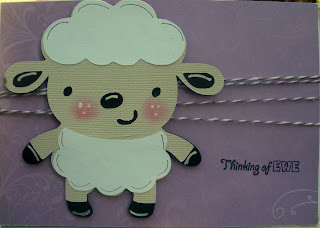
Sheila used Campin' Critters to make this card.  Visit her blog at http://2pawprints.blogspot.com/ to see her entire project.


Jenn Lorist used Jolly Holiday's Cricut cartridges to decorate a glass block for Christmas. Please visit her blog to see this entire project at http://www.jennspapercrafts.blogspot.com/


Doris has created project using the letter C with Cricut Decals and Country Carnival. Please go to her blog and see more at http://mybugandmecreate.blogspot.com/


Jamie used Carnival and Create a Critter Cartridges for this Invitation. To see the full project please visit her blog  http://jamiek711designs.blogspot.com/


Shelly used Create A Critter to create this Valentine card.  To see the full project please visit her blog at http://kccroppers.blogspot.com/


Tamara used Create A Critter Cricut cartridge to make this card. To see the full project please visit her blog http://sospoileditscute.blogspot.com/